
Your First Conversion
This example converts the image Test.bmp into the Gerber file Out_Test.gbr.
1. Put the image in the In folder
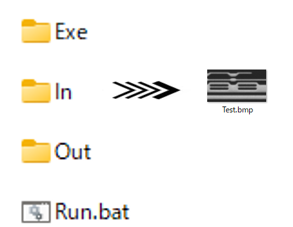
2. Write the batch file
Save this as Run.bat in the ImgScan folder. A ^ at the end of a line continues the command on the next line.
@echo offcd /d "%~dp0"Exe\ImgScan.exe ^ IMAGE=In\Test.bmp ^ OUTPUT=Out\Out_Test.gbr ^ EXPORT=GERBER ^ PIXEL=1.0 ^ THRESH=80 ^ TRASHNUM=3 ^ ACCURACY=2 ^ BDWIDTH=2000 ^ ENDif %errorlevel% neq 0 (echo Conversion FAILED) else (echo Conversion OK)pausecd /d "%~dp0" makes the folder of the batch file the current folder, which ImgScan needs to find its helper programs. if %errorlevel% neq 0 tests the exit code.
3. Run it
Double-click Run.bat. ImgScan reports its progress:
Iamge Data loading startsProcessing 25 %Processing 50 %Processing 75 %Processing 100 %Data Cleaning startsImage2CAD conversion was doneConversion OKOut_Test.gbr is now in the Out folder. Open it in LinkCAD to check it.
Other output formats
Change EXPORT and the extension of OUTPUT:
| Format | EXPORT | OUTPUT |
|---|---|---|
| DXF | EXPORT=DXF | OUTPUT=Out\Out_Test.dxf |
| Gerber | EXPORT=GERBER | OUTPUT=Out\Out_Test.gbr |
| ODB++ | EXPORT=ODB++ | OUTPUT=Out\Out_Test.tgz |
Next: learn every parameter on the command line page, and how to tune them in choosing the parameters.